
If you’ve ever stood in a grocery aisle squinting at a label trying to figure out if “malt extract” is safe, you already know why gluten free food scanner apps exist. The problem isn’t knowing that wheat is bad. The problem is that gluten hides under dozens of different names, changes by country, and sometimes doesn’t have to be declared at all.
A good food scanner app doesn’t replace label knowledge — but it can be the difference between a 30-second check and a 5-minute anxiety spiral in the cereal aisle.
Table of contents
Open Table of contents
Why Food Scanners Are Actually Hard to Get Right
Here’s something most scanner app reviews skip: the regulatory complexity behind the scenes.
One of the most common conversations in celiac communities goes something like this — someone asks whether “malt” in an ingredient list is safe. The answer? It depends entirely on where you live.
In the US, “malt” by law means barley malt when it appears in an ingredient list. Never gluten free unless otherwise specified. In Canada, “malt” without further specification actually suggests a non-barley source (you’d see “malt (barley)” or a “contains: barley” statement if it were unsafe). In the EU and UK, barley must be declared and bolded. In Australia, the rules shift again.
A scanner app that doesn’t know the difference between these jurisdictions is going to give you wrong answers — and wrong answers in this space aren’t just annoying, they put you at risk.
This is why the celiac community tends to be skeptical of new scanner apps. It’s a space where a confident wrong answer is worse than no answer at all.
“There is a lot of regulatory complexity in this area… if you want to do something like this it would probably be wiser to focus on just one jurisdiction and make sure you get that one right.” — r/glutenfree
Fair point. And it’s exactly what separates the scanner apps worth using from the ones that will get you glutened.
What a Gluten Free Food Scanner Actually Needs to Do
Before looking at specific apps, here’s what the celiac community consistently asks for — pulled from real threads, not marketing copy:
Jurisdiction awareness. The same ingredient can be safe in one country and unsafe in another. An app that handles US, Canada, EU, Australia, and New Zealand separately is doing the work properly. One that doesn’t is guessing.
Oat handling. Oats are complicated. They’re naturally gluten free but almost always cross-contaminated in production. Some celiacs tolerate certified gluten free oats; many don’t. A good scanner app lets you set your own preference instead of making that call for you.
Honest “unknown” results. Natural flavors, mixed spices, proprietary blends — these are genuinely hard. An app that flags these as uncertain is being accurate. An app that gives them a green light is being reckless.
Speed. Looking up ingredients one by one is too slow for a grocery run. A scanner that reads an entire ingredient list and cross-references it in one pass is actually useful. One that makes you type anything in manually isn’t.
No over-promising. “Probably safe” and “likely gluten free” are not the same as “gluten free.” The best apps are clear about the difference.
GF Gluten Scanner — Best Food Scanner App for iPhone
$4.99/mo or $49/yr · iOS · ★ 5.0 (US App Store)
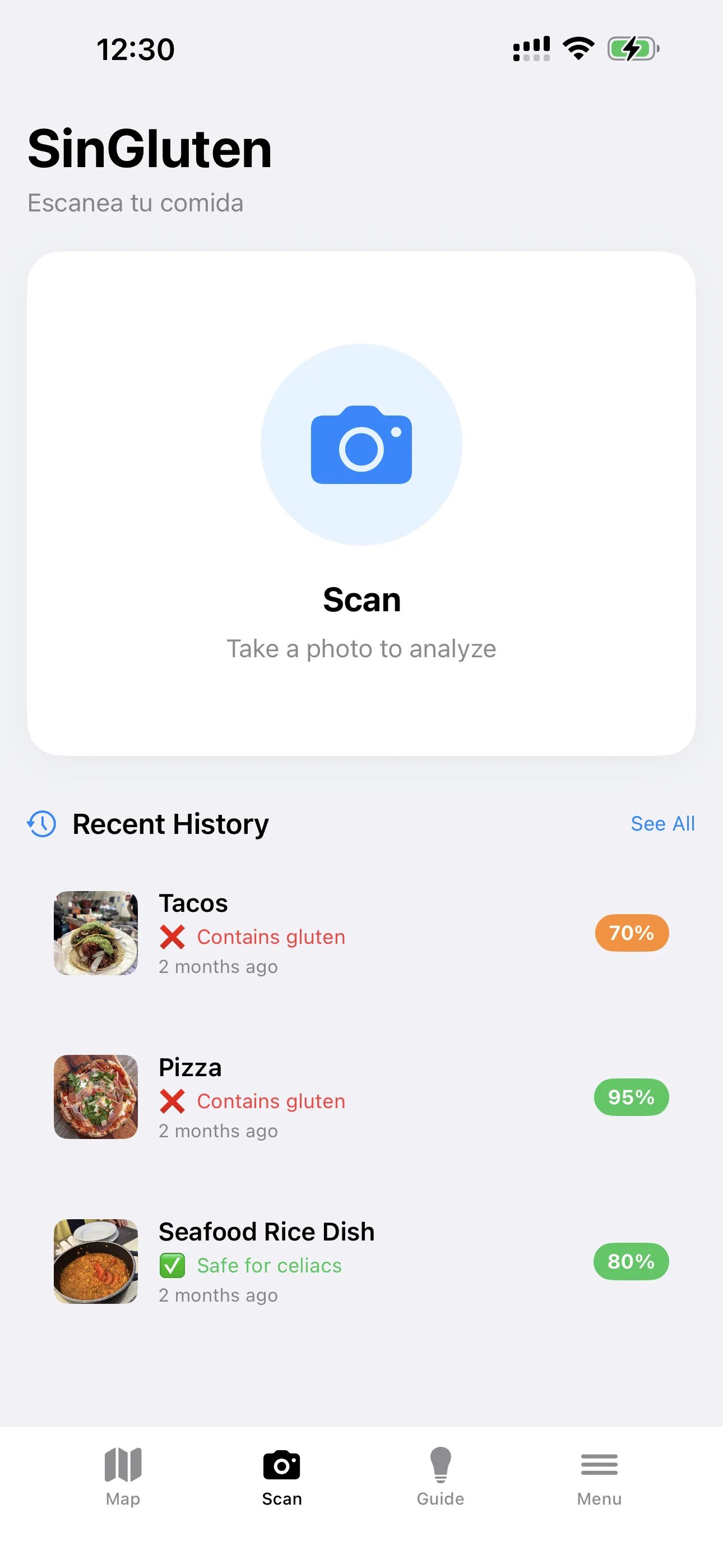
GF Gluten Scanner handles the full ingredient scan — you point your camera at the ingredients label, and it reads the whole thing at once, cross-referencing every ingredient against a continuously updated gluten database.
What makes it worth keeping on your phone:
Multi-jurisdiction support. The app auto-detects your country and applies the correct rules for your region — US, Canada, EU, Australia, and New Zealand each have different ingredient declaration laws, and the app handles them separately. If you move or travel, you can change the setting manually.
Oat optionality. During setup (and in settings), you choose how the app handles oats. If you tolerate certified GF oats, you can tell it that. If you react to all oats, it’ll flag them. It doesn’t make that decision for you.
History tracking. Everything you scan gets saved. That’s more useful than it sounds — if you get glutened and you’re trying to figure out what caused it, having a log of every product you scanned in the past week is actually helpful.
Ingredient-level flagging. It doesn’t just give you a pass/fail on a product. It shows you which specific ingredients triggered the result, so you can make your own judgment call on edge cases. If glucose syrup from wheat comes up with a “contains wheat” warning, the app explains why it’s actually safe despite the label — because it is.
Map + guide included. Beyond the scanner, the app includes a restaurant finder and a travel guide covering 18 languages and 10 cuisine types. It’s the only app on this list that bundles all three under one subscription instead of three separate downloads.
The community reaction to this kind of all-in-one approach:
“The combination of map + scanner + guide in one app is what makes it stand out. Most apps do one of these things.” — celiac community feedback
Download: GF Gluten Scanner — App Store
Where Food Scanners Fall Short (And What to Do About It)
No scanner app is perfect. Here’s what the celiac community has learned from using these tools in real life:
“May contain” warnings are genuinely hard. Cross-contamination risk from shared facilities is almost impossible for an app to assess accurately. Some apps flag it; some don’t. The ones that do flag it are being more careful — but the absence of a “may contain” warning doesn’t mean a product is safe, it just means the app couldn’t detect one.
Curved or small text causes errors. Labels on round packages, curved cans, or densely-printed wrappers can cause scanning errors. Most apps have a crop-and-zoom feature for exactly this — use it when the initial scan seems off.
Unknown compounds get a pass by default. Mixed spices, “natural flavors,” proprietary blends — these are black boxes. A conservative scanner will flag them as uncertain. Some users find this annoying; others find it exactly right. Know which type of user you are before you get frustrated.
GFCO-certified products can still get flagged. If a product is certified by the Gluten Free Certification Organization and the app flags it, that’s a false positive. Some scanners learn from these corrections; report them when you see them.
The consistent community advice: use the scanner as a first-pass check, not a final answer. It should speed up your process, not replace your judgment.
The Honest Take on Scanner Apps
The celiac community has had years of experience with these tools, and the consensus is pretty measured:
“Apps are hard. Some people rave about them, but you can’t solely rely on apps to look for gluten. The best skill you can gain is how to read the labels.” — r/Celiac
This isn’t pessimism — it’s accuracy. Scanner apps are genuinely useful as a second set of eyes. They’re faster than reading every ingredient manually, they catch things you might miss when you’re tired or distracted, and they’re especially helpful for people newly diagnosed who are still building their mental database of safe and unsafe ingredients.
But the foundation is label literacy. Spend a few months really reading every ingredient list. Learn the names gluten hides under — wheat, barley, rye, malt, modified wheat starch, brewer’s yeast, triticale, spelt, kamut. Build your list of safe staples. Then use a scanner app as backup, not as primary defense.
The two situations where scanner apps are most consistently useful:
- New products — standing in an aisle looking at something you’ve never bought before, a scanner gives you a fast first opinion before you spend five minutes reading.
- Travel — in a country where you don’t know the labelling rules or can’t read the language, a jurisdiction-aware scanner is genuinely valuable.
For your regular weekly shop, you’ll know your safe products within a few months. The app earns its place on your phone when you’re somewhere unfamiliar or looking at something new.
Which Scanner App Should You Download?
For most iPhone users: GF Gluten Scanner — it handles multiple countries correctly, lets you configure oat sensitivity, and comes with a restaurant finder and travel guide built in for $4.99/mo or $49/yr. Start here.
If your main concern is ingredient accuracy and you want a specialist tool: GF Scanner’s ingredient scanning combined with Fig’s barcode database covers a lot of ground. Some users run both.
If you travel internationally: GF Scanner’s travel guide covers 18 languages and includes a Celiac Card you can show at restaurants — useful when you’re in a country where you can’t easily communicate your dietary needs.
Bottom Line
A gluten free food scanner app is most useful when it’s honest about what it can and can’t do. The ones that give you confident green lights on everything are the ones to avoid. The ones that show you their reasoning, flag uncertain ingredients, and adjust for your jurisdiction are the ones worth trusting.
GF Gluten Scanner gets the most things right — jurisdiction handling, oat settings, transparent results, and the map, scanner, and travel guide all in one subscription. Download it, use it as a tool, and keep reading those labels.